
Copy a Checklist Template from an ID
How to share a checklist template between company accounts by copying it from its template ID.
Last updated 10 August 2023
Share checklists between company accounts by copying a template from an ID.
Why reinvent the wheel? If you know of someone kind enough to share their templates, here’s how to do it:
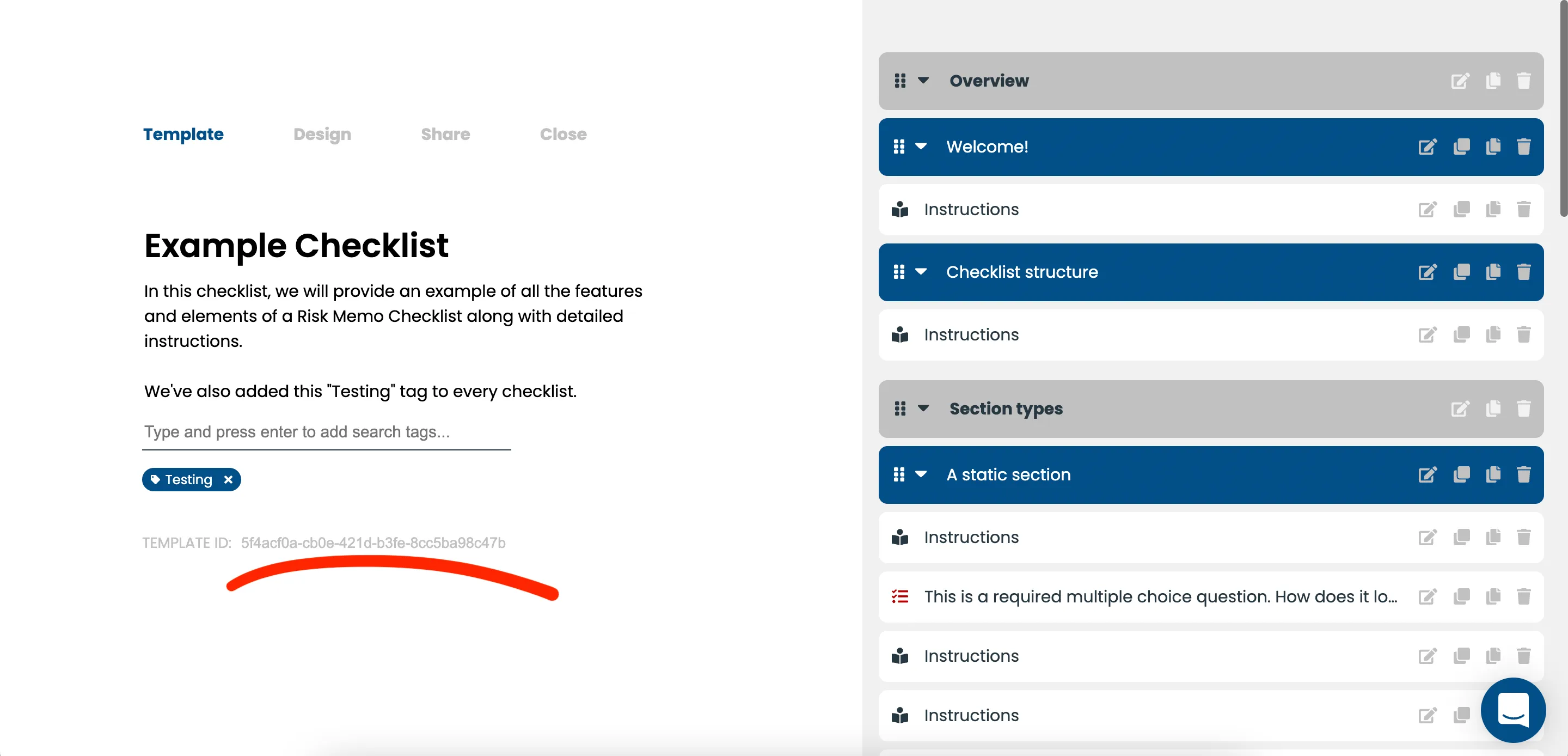
Step 1: The owner of the template needs to copy the template ID and share it with the recipient. They can find the ID on the “Template” page of the template builder:
Step 2: Once you have the ID, head over to the Template Library and paste into the “Copy from template id” input and click the copy icon:
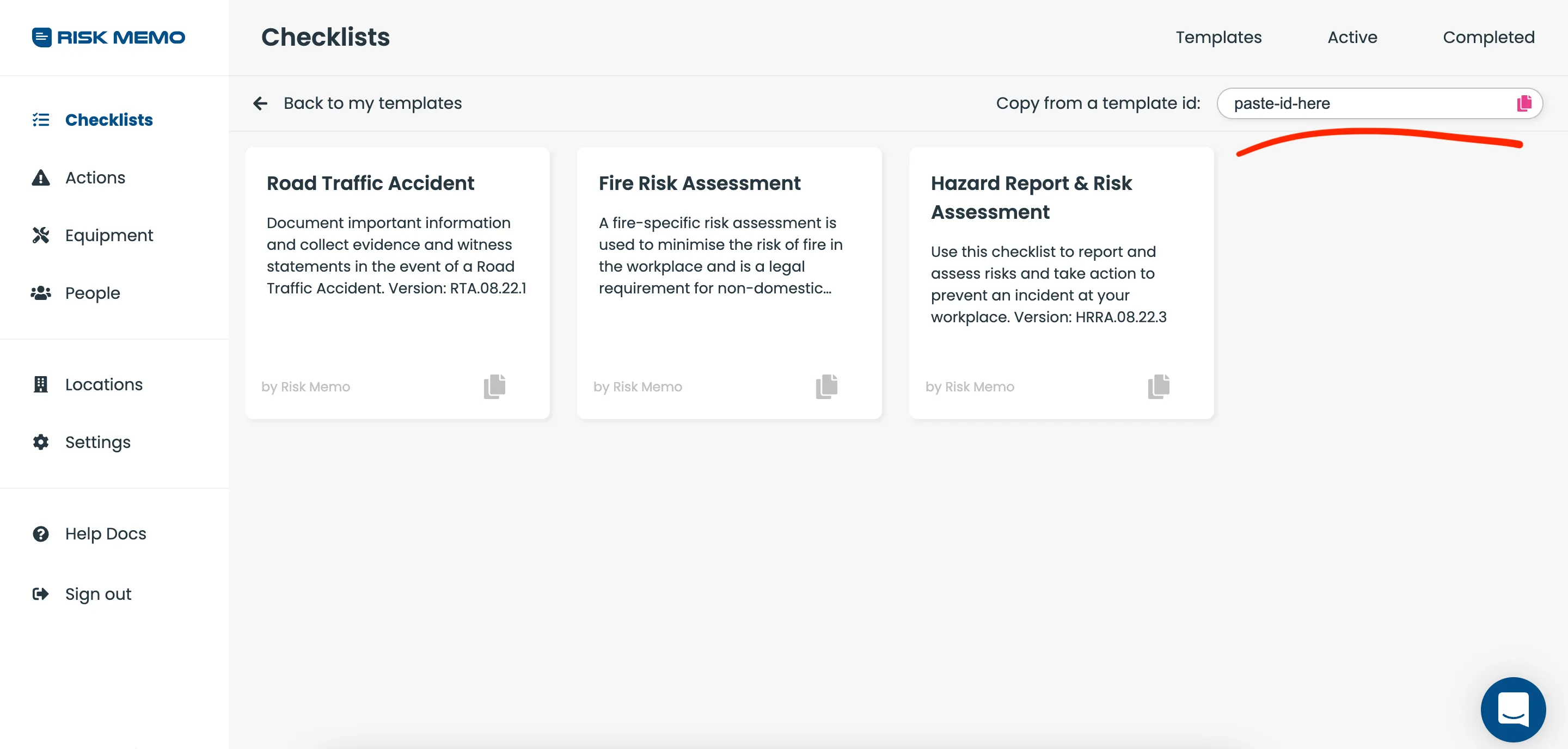
That’s it!
Once it has finished copying you can find the template in your templates.
Still stuck? Email support@riskmemo.comMore in Checklists